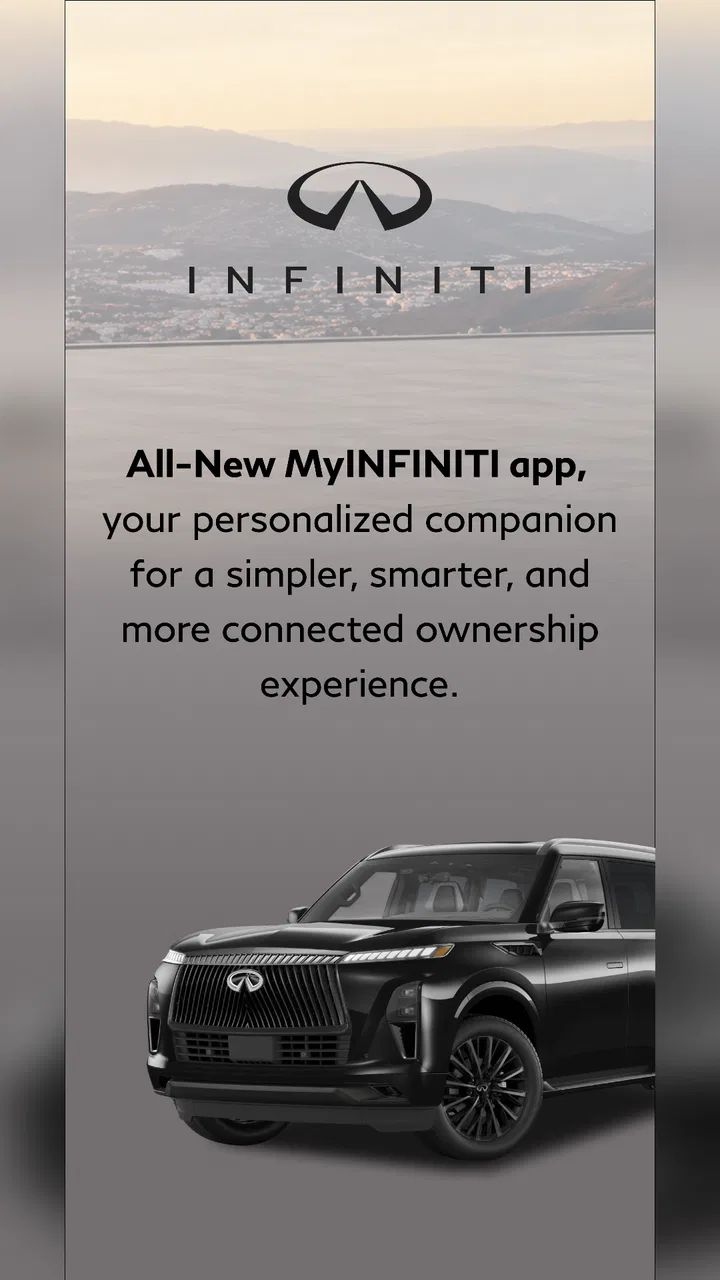
MyINFINITI App
- 4.7
- Rating
- 100.00K
- Installs
- Free
- Price

 Analysis by App-foxy
MyINFINITI is the kind of app I would install after buying or leasing an INFINITI, not because it replaces every other driving tool, but because it gives ownership-related tasks a more direct home on my phone. Developed by Nissan North America, Inc., this free Auto & Vehicles app is aimed at INFINITI owners who want a convenient way to stay connected with their vehicle and ownership experience.
My overall impression is positive, with one important qualification: the app is most useful when the account, vehicle details, and connected services are all set up correctly. When something in that chain is incomplete, the experience can feel less clear than it should. The app itself may appear to be the problem even when the real issue is account matching, vehicle eligibility, connectivity, or a delayed update.
That makes this a practical rather than flashy recommendation. I would suggest it to an INFINITI owner who wants a central place for vehicle-related information and is comfortable spending a little time checking the setup. I would not recommend relying on it as the only tool for urgent roadside decisions or as a substitute for the vehicle handbook and direct assistance.
You May Also Like

 Google Keep - Notes and lists
Google Keep’s Quiet Growth Shows the Appeal of Simpler Notes
As mobile work gets busier, Google Keep keeps winning a simple contest: capture a thought quickly, find it later, and get on with the day.

 Blood Strike: 2.5 Anniversary
Blood Strike’s Loadouts Turn Every Drop Into a Tactical Gamble
A close look at Blood Strike’s custom loadouts: how fast access to signature weapons reshapes its battle royale rhythm, rewards preparation, and narrows the gap between fights.

 Pandora - Music & Podcasts
Pandora’s Music Is Easy to Start, but Harder to Recover
Pandora’s strength is its low-effort path from a seed to a station. Its weak spot is how much confidence it asks you to place in connection, setup, and quiet recovery.

 8 Ball Pool
 Is Built on Rivalries, Rematches, and Routine
A close look at the rivalries, rematches, shared routines, and unanswered safety questions that turn a quick pool match into a persistent mobile community.

 Samsung Music
’s Quiet Strength Is Playing What You Already Own
Its reach comes less from spectacle than from dependable access to a personal library. That simplicity is both the app’s strongest retention engine and its ceiling.

 AccuWeather: Weather Radar
AccuWeather Review: A Quick, Clear Forecast for Everyday Decisions
For everyday plans, the best forecast is the one you can understand quickly. AccuWeather makes rain timing, radar, and local conditions easy to act on, with a few trade-offs.
More From Our News Desk



Where owners commonly get stuck
When I see owners get stuck, I usually look first at the handoff between their account and the vehicle, rather than assuming the app itself has failed. This section focuses on small checks that can prevent a setup snag from turning into a longer troubleshooting session, especially when multiple people share an INFINITI. From there, it helps to have a calm recovery routine for the moments when an otherwise familiar ownership task is interrupted.
The first login is more important than it looks
The most frustrating point for a new user is usually not downloading the app. It is getting the right ownership account connected to the right vehicle. If I were setting it up, I would use the same email and personal details associated with my INFINITI ownership records rather than creating a separate account casually. A mismatch can make the app look empty or prevent expected vehicle information from appearing.
This is also where expectations matter. Seeing the app installed does not automatically mean every connected function will be ready immediately. Some parts of the ownership experience depend on the vehicle, the account, and the services associated with that vehicle. If a screen seems incomplete, I would first treat it as a setup question instead of repeatedly tapping the same button.
The most useful first troubleshooting habit is to verify the account before blaming the app. I would check that I am signed in with the intended account, confirm that the vehicle information is correct, and then close and reopen the app. That simple sequence is more productive than changing several settings at once because it makes it easier to identify what actually fixed the problem.
Vehicle information deserves a careful review
After signing in, I would look closely at the vehicle details shown in the app. Owners sometimes move between vehicles, use more than one account in a household, or install an app before the ownership information has fully settled. If the displayed vehicle is not the one I expect, I would stop there and correct the account or ownership connection rather than continuing as if everything were linked properly.
This matters especially when using the app while away from the car. A connected ownership app is only helpful if I can trust that the information belongs to my vehicle. I would rather spend a minute confirming the vehicle identity than act on an outdated or mismatched screen.
Network conditions can make a healthy app look unreliable
MyINFINITI depends on communication between the phone, the app service, and the vehicle-related systems behind the account. A weak mobile connection, unstable Wi-Fi, or a temporary delay can make a request appear unsuccessful. I would test the app on a reliable connection before assuming that the installation is broken.
I would also avoid judging it from a single failed attempt. If a request or update does not appear immediately, I would wait briefly, refresh once, and check whether the vehicle information has changed. Repeating a command many times is not a good recovery method because it can create confusion about which attempt was processed.
Permissions and phone settings can quietly interfere
On Android and iOS, app permissions and battery controls can affect how smoothly an app behaves. I would review the permissions MyINFINITI requests and allow only what makes sense for the functions I intend to use. I would also check whether aggressive battery saving or background restrictions are preventing timely updates.
I would not grant every permission automatically just because the app is installed. Instead, I would enable a permission when a specific feature needs it, then test that feature. This gives me a clearer idea of what the app needs and avoids turning troubleshooting into guesswork.
Updates are worth checking before deeper troubleshooting
The app was released on Jul 27, 2022, and it requires Android 8.1 or later. That makes the basic installation accessible to many Android users, but compatibility is not the same as a guaranteed identical experience on every phone. I would keep the operating system and the app current where possible, especially if the app opens but behaves inconsistently.
On an older phone, I would also check available storage and restart the device before reinstalling anything. A restart can clear a temporary system problem without removing account information. If I do reinstall, I would make sure I know my sign-in details first, because deleting the app should not be the first step when the real problem may be the account connection.
Recovering a disrupted ownership workflow
A disrupted workflow is easier to recover when I change one thing at a time and keep track of what the app actually does. Here I focus on choosing a sensible stopping point, preserving useful details about the problem, and switching to the vehicle or its documentation when timing matters. That approach makes the next step clearer without encouraging repeated requests or unnecessary account changes.
Use a simple recovery order
When MyINFINITI stops behaving normally, I prefer a controlled sequence. I check the internet connection, confirm the account, verify the vehicle shown, close and reopen the app, and then try again once. If the problem remains, I restart the phone and check for app or system updates. This order covers the common causes without making the situation harder to diagnose.
I would avoid clearing data or uninstalling immediately. Those actions may remove local session information and force another sign-in without solving a service-side or account-side issue. If a clean reinstall becomes necessary, I would treat it as a final software step, not a routine response to every delayed screen.
Separate missing information from a failed action
There is a useful distinction between the app failing to display information and an ownership action failing to complete. If a page looks blank, I would focus on account and vehicle association. If a request appears to start but does not finish, I would focus on connection quality, timing, and whether the vehicle or service is currently able to respond.
This distinction helps prevent a common mistake: changing several settings when only one part of the workflow is affected. For example, if general account information loads but a vehicle-related update does not, the whole installation may not be at fault. I would record exactly which screen works and which one does not before contacting support.
Keep a useful record before asking for help
If I needed assistance, I would note the phone model, operating system version, the account I used, the vehicle displayed, and the exact step that failed. I would also include whether I was on Wi-Fi or mobile data and whether the problem happened once or repeatedly. That description is much more useful than saying only that the app “does not work.”
I would avoid sharing passwords or unnecessary personal information in a support conversation. A clear description of the screen, timing, and behavior should be enough to begin troubleshooting. If the issue involves ownership records or connected vehicle services, I would be prepared for the solution to require account verification rather than a phone setting.
Know when to stop repeating the same request
One of my practical reservations with any connected vehicle app is that a delayed response can tempt users to keep trying. I would not repeatedly send the same request simply because the first result has not appeared. Instead, I would wait, check the current status, and use a safer alternative if the matter is time-sensitive.
MyINFINITI is a convenience layer, not something I would treat as the sole authority during an urgent situation. For immediate safety concerns, I would use the vehicle’s controls, the owner documentation, or appropriate direct assistance. The app is best used for planned ownership tasks, checking information, and reducing routine friction—not for replacing judgment when a response is critical.
When the app is not the cause
Some problems sit outside the phone entirely. A vehicle may be parked in a location where communication is limited, the car may not be in a state that allows a connected request to complete, or the relevant ownership service may be temporarily unavailable. From the user’s perspective, all of these can look like an app error.
That is why I would test from a different location and at a different time before concluding that the installation is defective. I would also compare the app’s information with what I can see directly in the vehicle. If the vehicle itself shows one condition while the phone shows another, I would treat the in-car information and immediate safety indicators as more important than a delayed mobile display.
Another important boundary is vehicle compatibility. The presence of the app on a phone does not mean every INFINITI model or every ownership arrangement offers the same connected experience. I would check the vehicle-specific documentation and account details rather than assuming that a missing option is a software bug.
How it compares with the usual alternatives
The usual alternative is to manage ownership through the vehicle’s built-in controls, the owner’s manual, a browser account, or direct contact with a retailer or support team. Those options remain valuable because they do not depend on the same phone session or mobile connection. In particular, the handbook is still the better reference for physical controls, warning lights, maintenance instructions, and model-specific procedures.
Where MyINFINITI has an advantage is convenience. A phone is already with me when I am away from the car, and a dedicated app can make ownership information easier to revisit than searching through paperwork. The trade-off is that the app introduces another layer that must stay synchronized with the account and vehicle. If I want certainty during an urgent situation, I prefer the car’s direct indicators or immediate human assistance.
I also would not choose it simply because I want a general navigation, fuel, or driving app. Its value is tied to INFINITI ownership. A general-purpose automotive app may be better for route planning or broader vehicle tracking needs, while MyINFINITI makes more sense when my priority is staying connected to one INFINITI ownership relationship.
Who will get the most from it
I think the app is a good fit for a current INFINITI owner who wants a convenient digital companion and is willing to complete the account setup carefully. It is especially practical for someone who often needs to check ownership information away from the vehicle or prefers keeping vehicle-related details in one place on a phone.
It may also suit households where more than one person interacts with the vehicle, provided everyone understands which account is connected and who should perform particular actions. I would establish that clearly rather than having several people create accounts and then wondering why the vehicle appears inconsistently.
I would skip it, or at least treat it as optional, if I rarely use phone apps, have unreliable connectivity, or expect every vehicle function to work remotely without checking compatibility. An owner who prefers paper records and direct in-car controls may not gain enough from adding another digital layer.
A realistic everyday example
Imagine I am leaving work and want to check an ownership detail before driving home. I open the app, confirm that the correct INFINITI appears, and look for the information I need. If the screen loads normally, the process is quicker than searching through a folder in the glove compartment. If it does not, I check the connection and account before assuming the vehicle has a problem.
If the information still does not update, I would not keep refreshing while walking through a parking lot or make an urgent decision based on an uncertain result. I would use the vehicle’s own display and controls once I reach the car, then revisit the app later. That is the right balance for me: use the app to simplify routine ownership, but keep a direct fallback for anything safety-related or time-sensitive.
What the audience numbers suggest
The app has a 4.7 average from around 2.1 thousand ratings, with over 50 thousand installs and 337 reviews. Those figures indicate that many users find it worthwhile, but they do not remove the setup variables that can shape an individual experience. A strong average rating can coexist with occasional account, connectivity, or compatibility frustrations.
It is free and rated Everyone, which lowers the barrier to trying it. I would still judge it by whether it fits my vehicle and ownership habits rather than installing it solely because there is no purchase cost. The developer, Nissan North America, Inc., gives the app a clear connection to the INFINITI ownership context, but the usefulness I get will still depend on accurate setup and realistic expectations.
My practical verdict
MyINFINITI is a worthwhile companion for an INFINITI owner who wants phone-based access to the ownership experience and is prepared to troubleshoot methodically when something does not appear right. I like its focused purpose and the convenience of having vehicle-related information available without relying entirely on printed records or a visit to a retailer.
My main criticism is not that the app is difficult to install; it is that connected vehicle apps can make the boundary between phone, account, vehicle, and service unclear. When a workflow fails, users need to know which layer to check first. With the correct account, the correct vehicle association, a reliable connection, and sensible fallback habits, the app becomes much more useful.
I would recommend downloading it if I owned a compatible INFINITI and wanted a central mobile tool for routine ownership tasks. I would keep the owner’s manual and the vehicle’s direct controls as my primary references for urgent or model-specific matters. In short, MyINFINITI is best when used as a convenient ownership companion, not as the only channel between me and my car.
For me, that makes it an easy app to try and a reasonable one to keep, provided the first setup is checked carefully. Its free access and Everyone rating make experimentation simple, while its real value comes from whether it saves time in my particular ownership routine. If it does, it earns a place on my phone; if I only need occasional general driving help, a different automotive app or the vehicle’s own documentation may serve me better.
FAQs for MyINFINITI App
01What is the MyINFINITI App used for?
The MyINFINITI App is designed to enhance the ownership experience for INFINITI vehicle drivers. It provides features like remote start, vehicle health reports, and service scheduling. Users can also access roadside assistance and connect with customer support directly through the app, making vehicle management more efficient.
02Is the MyINFINITI App compatible with all INFINITI models?
The MyINFINITI App is compatible with most recent INFINITI models. However, compatibility may vary depending on the model year and specific features of your vehicle. It’s important to check the app’s compatibility with your specific model on the INFINITI website or app store description before downloading.
03What are the key features of the MyINFINITI App?
Key features of the MyINFINITI App include remote vehicle access, location services, vehicle health monitoring, and maintenance reminders. Users can also schedule service appointments and receive alerts about their vehicle’s condition, ensuring they stay informed and connected at all times.
04How secure is the MyINFINITI App?
The MyINFINITI App uses advanced encryption and security protocols to protect user data and ensure privacy. INFINITI prioritizes user security by regularly updating the app to address any vulnerabilities and implementing robust authentication measures for accessing sensitive features.
05Is there a subscription fee for using the MyINFINITI App?
The MyINFINITI App is generally free to download and use; however, some advanced features may require a subscription or be part of specific vehicle packages. It’s advisable to check the app’s details or contact INFINITI customer support for information on any potential costs associated with premium features.
Pros
- User-friendly interface and easy navigation.
- Real-time vehicle status updates.
- Remote access to vehicle functions.
- Personalized maintenance reminders.
- Integrated with dealership services.
Cons
- Limited features on older vehicle models.
- Occasional connectivity issues.
- Requires stable internet connection.
- Some features locked behind subscription.
- Compatibility varies by region.

MyINFINITI App
Gallery